OPEN SOURCE CASE STUDY
Sonata: a local-first music workspace with Google Drive backup
· By Jethro Frane · 3 min read
An independent music workspace: why I chose local song storage and optional Google Drive backup, and what those choices still require.
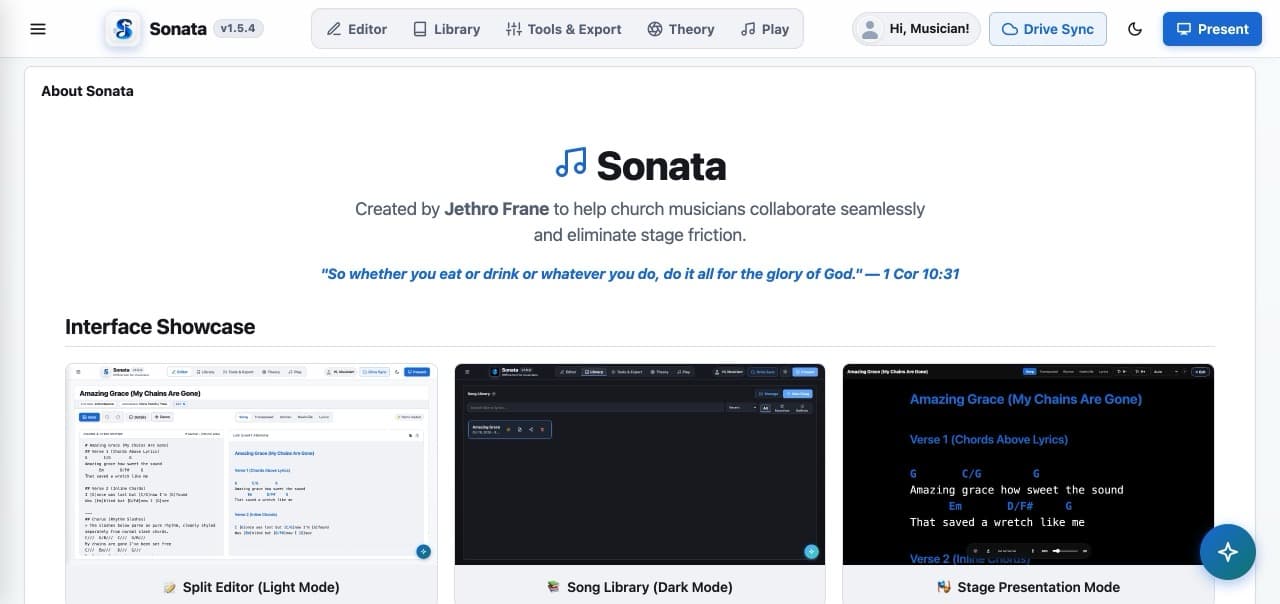
Sonata is my independent, open-source music workspace. It supports chord-sheet editing, key changes, song organization, setlists, and presentation.
The core app uses HTML, CSS, and JavaScript. Its working library stays in the browser, with optional Google Drive backup.
Why keep the library local?
I wanted the core editor to work without a central song database or a required hosted account. Optional backup goes to the user’s own Google Drive.
There is a trade-off: browser data can be lost when site data is cleared or a device changes. Backup needs a clear status and useful error handling. It also depends on a connection and Google authorization.
Keep optional services clear
The source uses the restricted drive.file permission for app-created or approved files. Sonata also has an optional AI co-writer with a Vercel serverless endpoint for Gemini.
So I describe it as a local-first front end with optional external services. Every feature does not stay offline.
Make charts readable
The editor and presentation view have different jobs. Editing needs controls; reading a chart needs space, clear text, and a usable layout.
Key changes and chord rendering need care too. Music rules and visual layout have to stay consistent as the screen changes.
What I learned
A smaller technology stack still needs careful state handling. Storage and backup are also part of the visitor’s experience, not just technical choices.
I developed and refine this personal project with AI assistance. You can open Sonata and inspect the source to see the result and its trade-offs.
Explain the architecture as the project develops
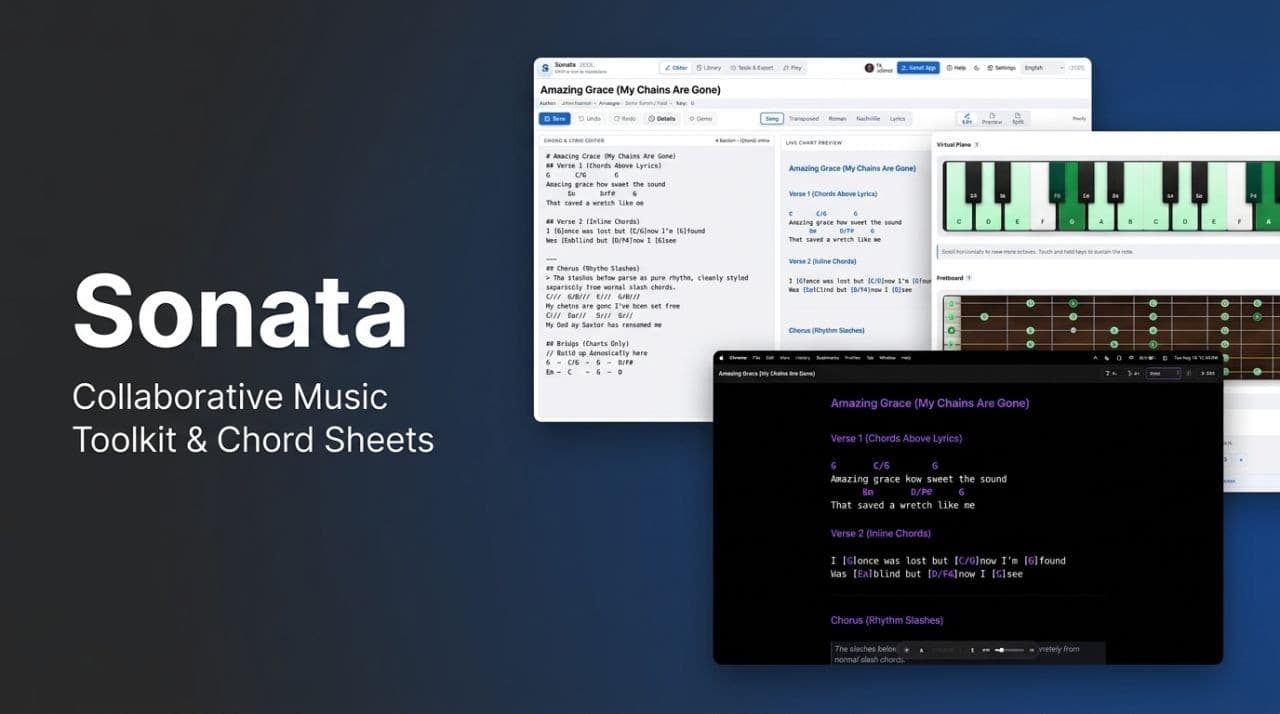
My earlier LinkedIn announcement introduced Sonata as a personal browser-based music toolkit. The project has since grown, so I need to describe its current boundaries carefully. The core library is local, while optional backup and AI features have external dependencies.
That distinction matters to someone deciding whether to use the tool during preparation or rehearsal. Local storage explains where the working library lives; it does not guarantee permanent backup. A presentation view explains how a chart is displayed; it does not prove that every chart will fit every device without checking. Keeping these details visible is part of maintaining a useful project, not just announcing new features.
Project screenshots
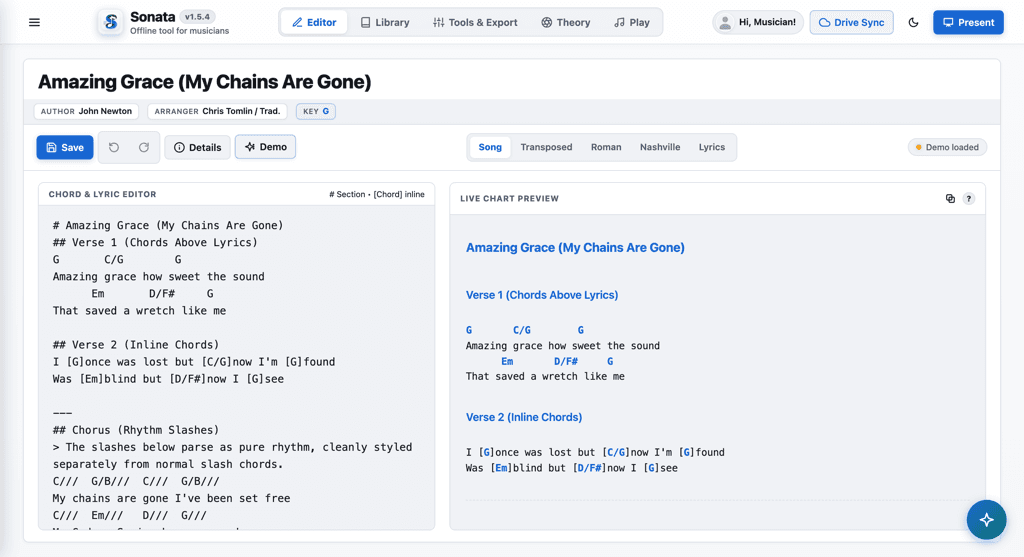
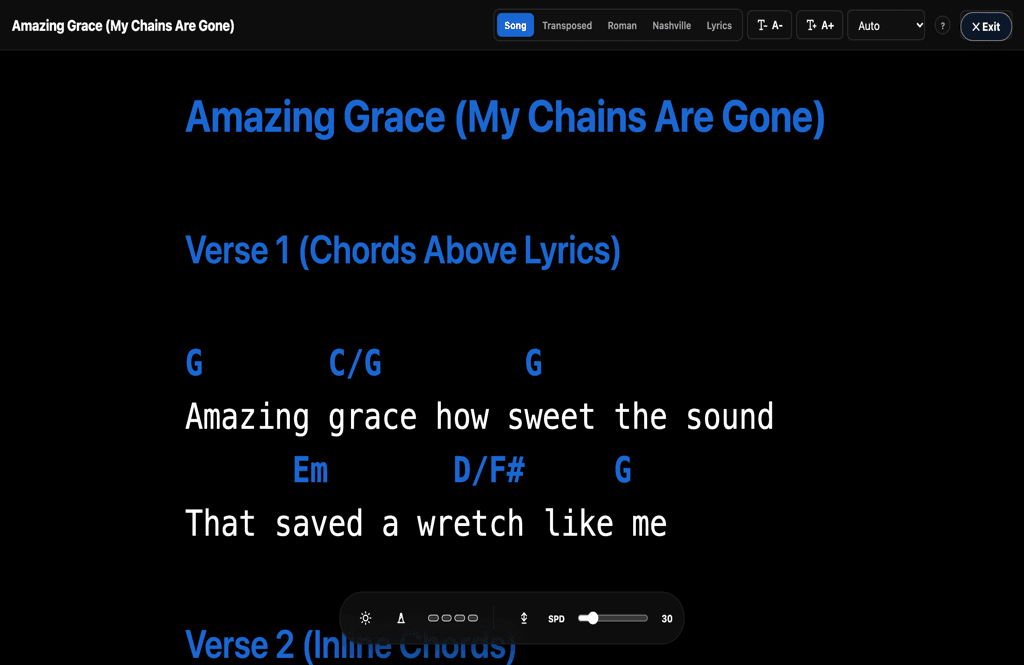
How I introduced the project
Thanks for reading.Explore my projects