WEB APP CASE STUDY
Worship Hub: designing a workspace around rehearsal and stage use
· By Jethro Frane · 3 min read
How I organized song discovery, chord preparation, and setlist planning, and built a faithful public demo without exposing private team data.
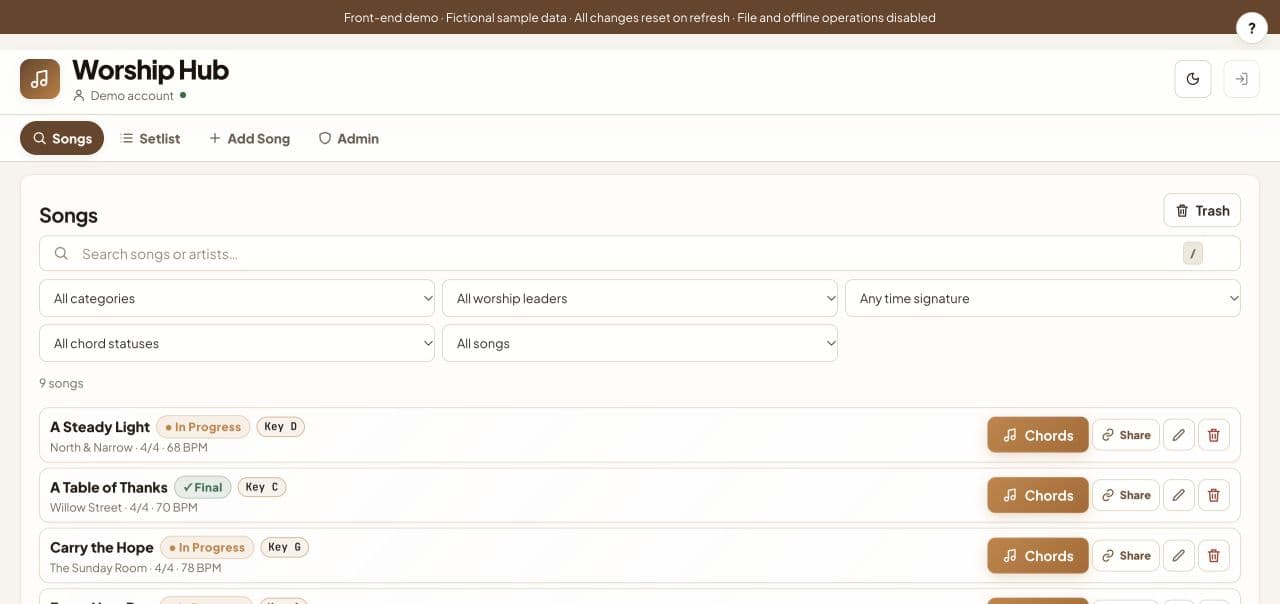
Worship Hub brings song discovery, chord preparation, and setlist planning into one workspace. I direct and refine the project with AI assistance, then check the interface against the music-planning workflow.
The public demo uses the actual workspace components with fictional, temporary records.
Follow the preparation flow
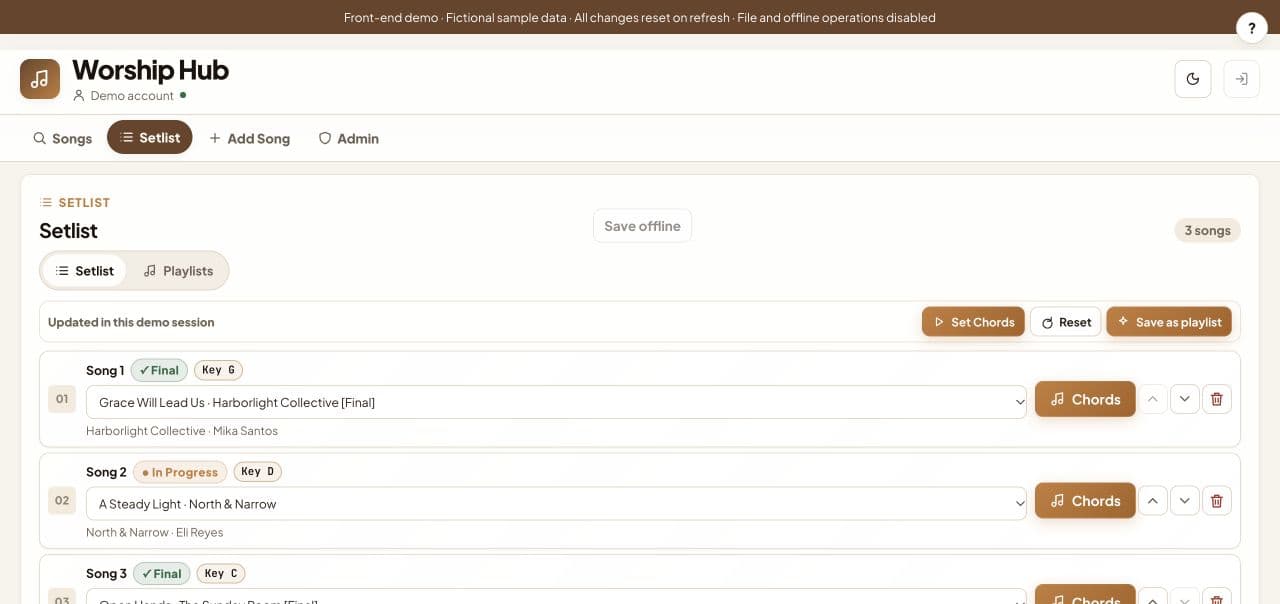
The workspace helps someone find a song, check its details, adjust a chart, arrange the set, and open the stage reader. The song’s original key and its assigned setlist key stay separate.
Expandable details keep the editing form manageable. Draft and final statuses show which material still needs review.
Keep music and layout working together
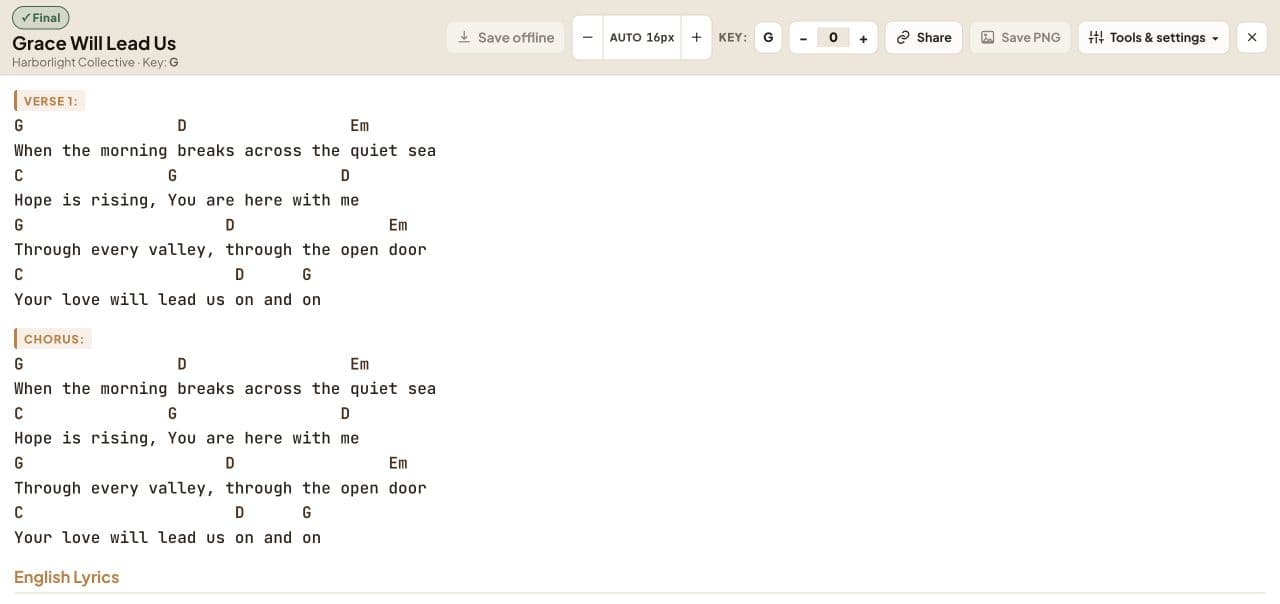
The chord engine handles transposition, including extended and slash chords. The reader also has to keep chords aligned with lyrics at different widths.
React and TypeScript support the workspace and its records. Next.js provides routing. Supabase and Google authentication support the production app; the public demo replaces those connections with temporary sample behavior.
A correction that mattered
An earlier demo looked plausible but did not represent my real app closely enough. I asked for the production workspace components to be reused, with small adapters at the data boundaries.
That made the reference and acceptance checks much clearer. I used Codex assistance for implementation and reviewed the result against the repository and browser.
What the demo lets someone inspect
Visitors can explore songs, charts, setlists, and the stage view without accessing private team records. Edits and administrative actions are simulations for the current session. Refresh restores the samples.
Try the demo or read the project summary.
My takeaway is practical: a chart has to be readable where it will be used. The build result alone cannot tell me that.
Separate preparation from stage reading
The preparation view needs editing controls and enough detail to organize a set. The stage view needs a readable chart with fewer distractions. Those are different moments in the same workflow, so I check the transition as well as each screen.
For example, the selected setlist key should remain distinguishable from the song's original key. A chart should remain legible when the key or screen width changes. Temporary demo edits should behave predictably and be clearly separate from production records. These are practical acceptance questions for the project. They help me judge whether the public example represents the real workflow without exposing the team's private information.
Project screenshots
Thanks for reading.Explore my projects